
Unlocking the Power of n8n for Effortless Workflow Automation
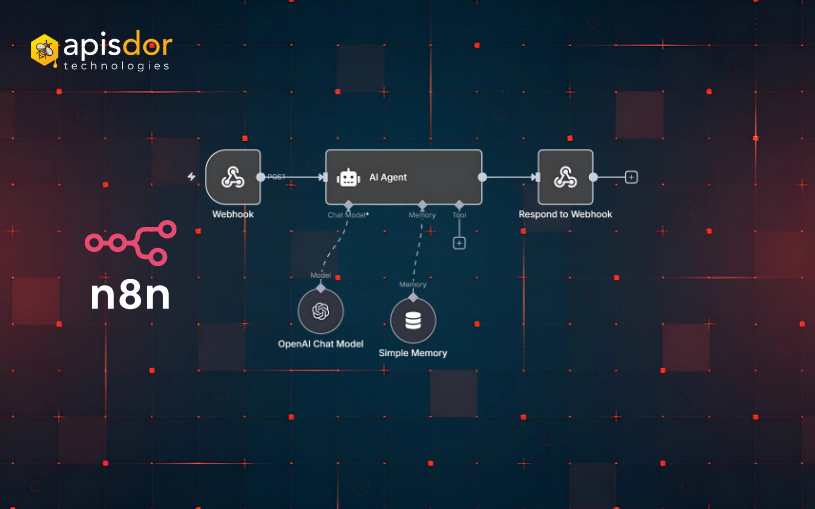
In a world where efficiency is crucial, automating workflows can feel like an uphill battle. Yet, n8n is here to flip that script. This open-source workflow automation tool empowers individuals and businesses to streamline their tasks without the headaches often found in traditional automation platforms.
As organizations race to boost productivity and cut down on manual errors, the demand for automation tools has skyrocketed. In this blog, we will dive into the impressive features of n8n, showcasing how it can help you build automated workflows, its key functionalities, and the various integrations it supports. Whether you’re a developer seeking to lessen mundane tasks or a business owner striving for operational efficiency, n8n presents a robust and adaptable solution tailored to your needs.
What is n8n?
At its essence, n8n is an open-source automation platform designed to create intricate workflows with ease. Unlike most automation tools, n8n features a user-friendly interface that allows anyone to visualize their workflows seamlessly. This platform supports a wide range of integrations with popular applications, facilitating smooth data transfer across different services.
As expressed by the n8n team, “n8n empowers you to connect everything to everything through its intuitive interface and extendability.” This accessibility means that even those without coding knowledge can efficiently create workflows and automate processes.
The charm of n8n lies in its adaptability. You can establish triggers based on specific events or conditions, automatically executing actions across various applications. Whether it’s sending an email when a new lead appears or updating a database when an order is made, the options are limitless.
Key Features of n8n
n8n stands out with its flexibility in managing different integrations. With over 200 nodes available, you can easily connect to popular services like Slack, Google Sheets, or Trello. Many users commend the community-driven aspect of n8n, as new nodes are frequently added, enhancing its functionality.
Custom Node Creation
For those skilled in coding, n8n allows the creation of custom nodes. This feature provides the adaptability to tailor the platform to your precise requirements, further optimizing your workflow automation. By developing custom code, users can engage with APIs that aren’t supported out of the box.
Moreover, n8n’s node-based design simplifies the management of complex workflows. You can visually examine your workflow, which makes troubleshooting or adjustments a breeze.
Getting Started with n8n
Getting n8n up and running is an uncomplicated process. It can operate locally, as a cloud service, or on your own server, offering various deployment options. For quick setup, the n8n cloud service eliminates configuration challenges, allowing you to start building workflows right away.
Initially, you’ll create an account, leading you to an intuitive dashboard. From there, you can establish your first workflow by selecting a trigger and determining the subsequent action.
Building Your First Workflow
To create a workflow, begin by choosing a trigger node, such as receiving an email. Next, incorporate an action node, like sending a response. With drag-and-drop features, customizing your workflow becomes as simple as connecting the nodes on the dashboard. n8n also allows you to test your workflows live, confirming they work as intended before launching them.
Common Use Cases for n8n
The applications of n8n are vast and varied. Businesses can automate reports, link their customer relationship management software with email marketing systems, or synchronize data across platforms. Many startups use n8n to refine their onboarding processes by automating reminder emails and follow-ups.
Individuals can utilize n8n for personal productivity, such as aggregating notifications from numerous platforms into a single channel or automating daily reports from various sources. The tool’s versatility means it caters to a wide audience—from developers to marketers.
Security and Self-Hosting
Security is a fundamental pillar of n8n’s structure. When you self-host, you gain complete control over your data and workflows. n8n enables you to configure authentication settings, ensuring the security of your automation processes.
Additionally, the platform offers comprehensive documentation, aiding users in navigating complexities and setting up secure environments. For teams managing sensitive data, these features can be incredibly valuable.
Conclusion
n8n stands as a formidable tool for anyone aiming to boost their workflow automation experience. Its open-source nature makes it accessible to everyone, while its features address diverse automation needs, ranging from simple tasks to intricate integrations. The ability to visualize workflows, create custom nodes, and access a myriad of integrations empowers users to streamline their operations efficiently.
In summary, dedicating time to learn n8n can result in significant gains in productivity and efficiency. By unleashing the potential of this platform, you can concentrate on what truly matters, letting automation handle the repetitive tasks that often take up precious time.
FAQs
Here are some frequently asked questions about n8n:
- Q1: What is n8n?
A: n8n is an open-source workflow automation tool that enables users to connect multiple applications and automate processes with minimal coding knowledge. Its user-friendly interface makes it approachable for both tech-savvy developers and those less technical. - Q2: How can I deploy n8n?
A: You can deploy n8n in various ways: self-hosted on your server, locally on your machine, or through the n8n cloud service for quick access without setup difficulties. - Q3: Does n8n support integrations with other tools?
A: Yes, n8n supports over 200 integrations with popular applications, including Slack, Google Sheets, Trello, and more, allowing you to connect your workflows effortlessly. - Q4: Can I create custom nodes in n8n?
A: Certainly! n8n allows developers to create custom nodes, enabling users to adjust workflows to fit their particular needs by interacting with APIs that aren’t natively supported. - Q5: Is my data secure with n8n?
A: Yes, if you self-host n8n, you maintain full control over your data. The platform also provides various security features, ensuring that your workflows and sensitive information stay protected.


